
From your first search to the day you stand beside your host
Everything you can do on Atlaseha, step by step, with screenshots of real pages from the site. If you’re a guest, read the first tab; if you’re a host, the second one is yours.
Guide for guests
Booking an experience on Atlaseha is like making plans with a friend who knows the area: you find the experience, pick a day and time, pay securely and show up. Your money is held in trust by Atlaseha until after the experience has taken place, and you pay no fee for the booking itself.
Step 1: Find your experience
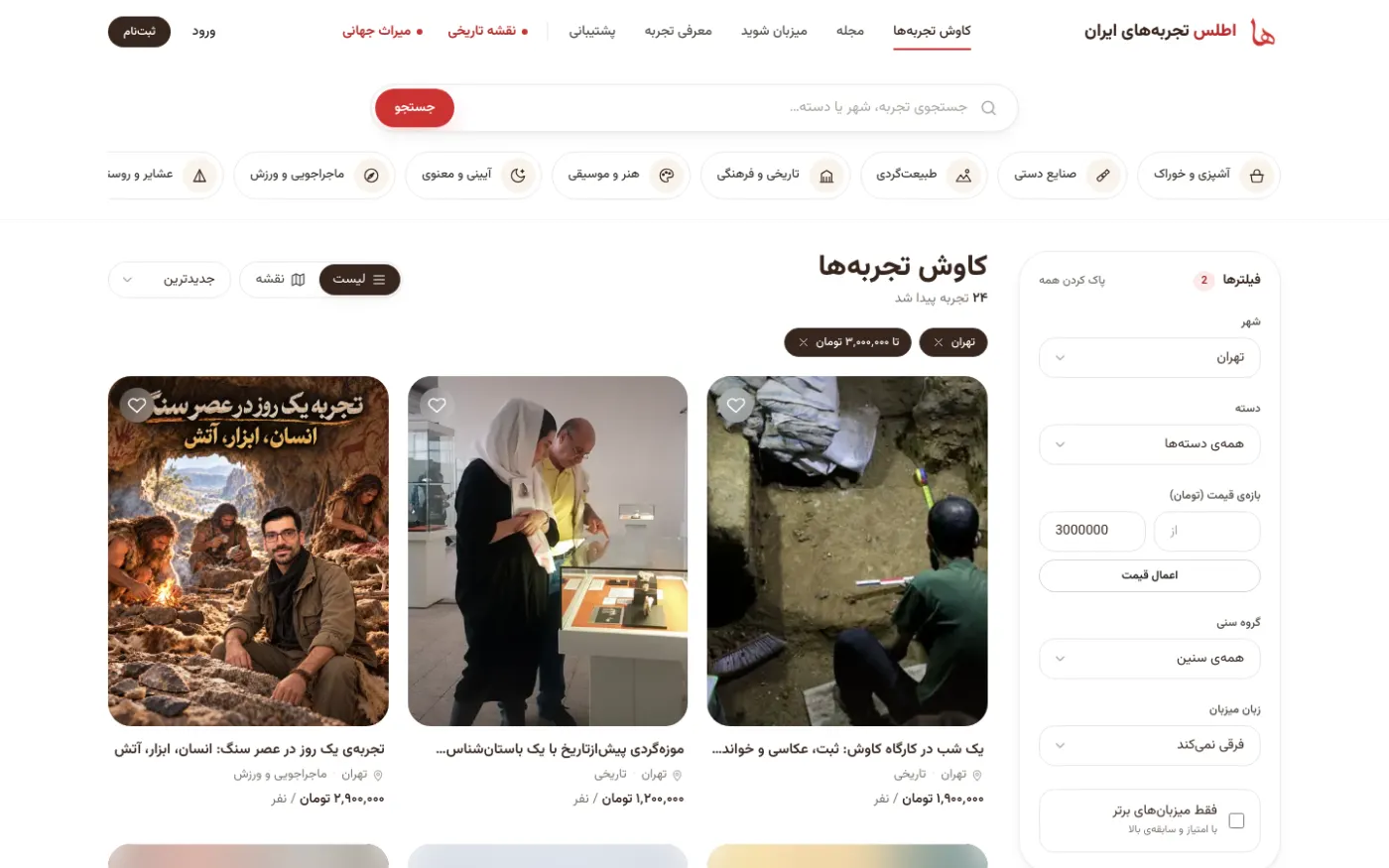
Start from the search box or the Explore experiences page. Filters for city, category, price range, age group, host language and “Top hosts only” sit next to the list, and on mobile they’re under the “Filters” button. The Near me filter, with your permission, uses your phone’s live location to show you experiences around you. If browsing on a map is easier for you, tap the “Map” button.
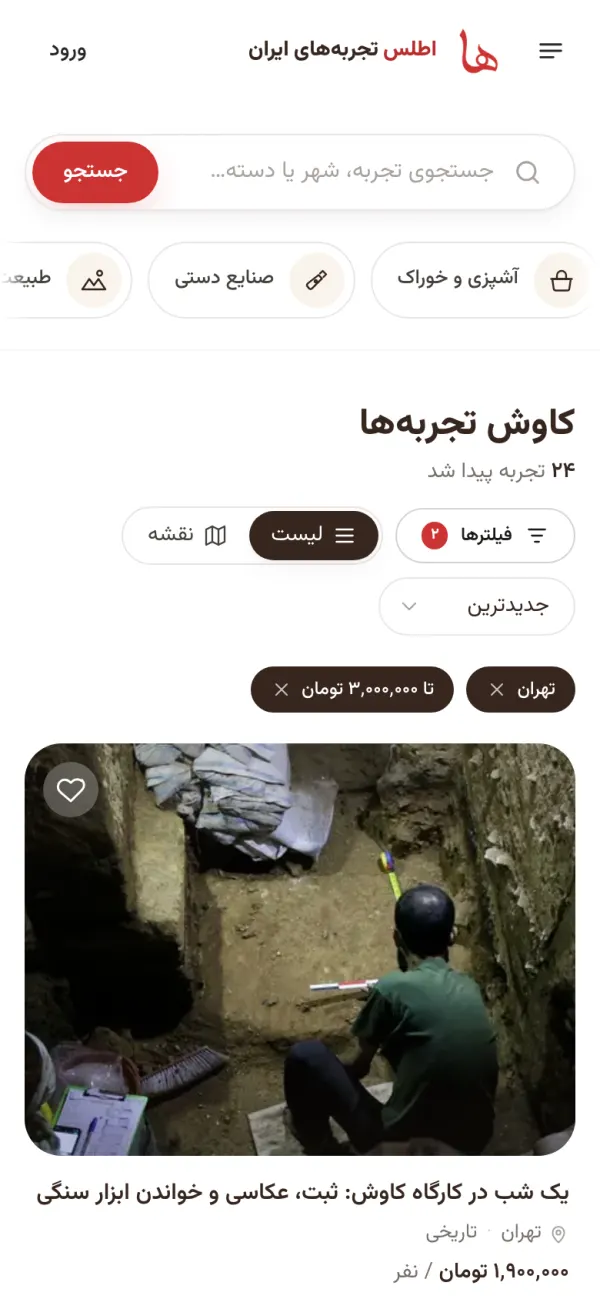
The explore page with two active filters: the city of Tehran, and prices up to three million toman. Each filter adds a tag above the results that you can remove with its ×. The screenshots in this guide show the Persian version of the site. Step 2: Don’t miss the eventsNew
Some programs aren’t weekly and happen only once, or only in their season, like watching the Perseid meteor shower outside Tehran. We’ve gathered these in the Events tab. Pick a day in the calendar on that page to see what’s on that day, and past programs stay in the events archive so you know what to look forward to next year.
Step 3: Take your time with the experience page
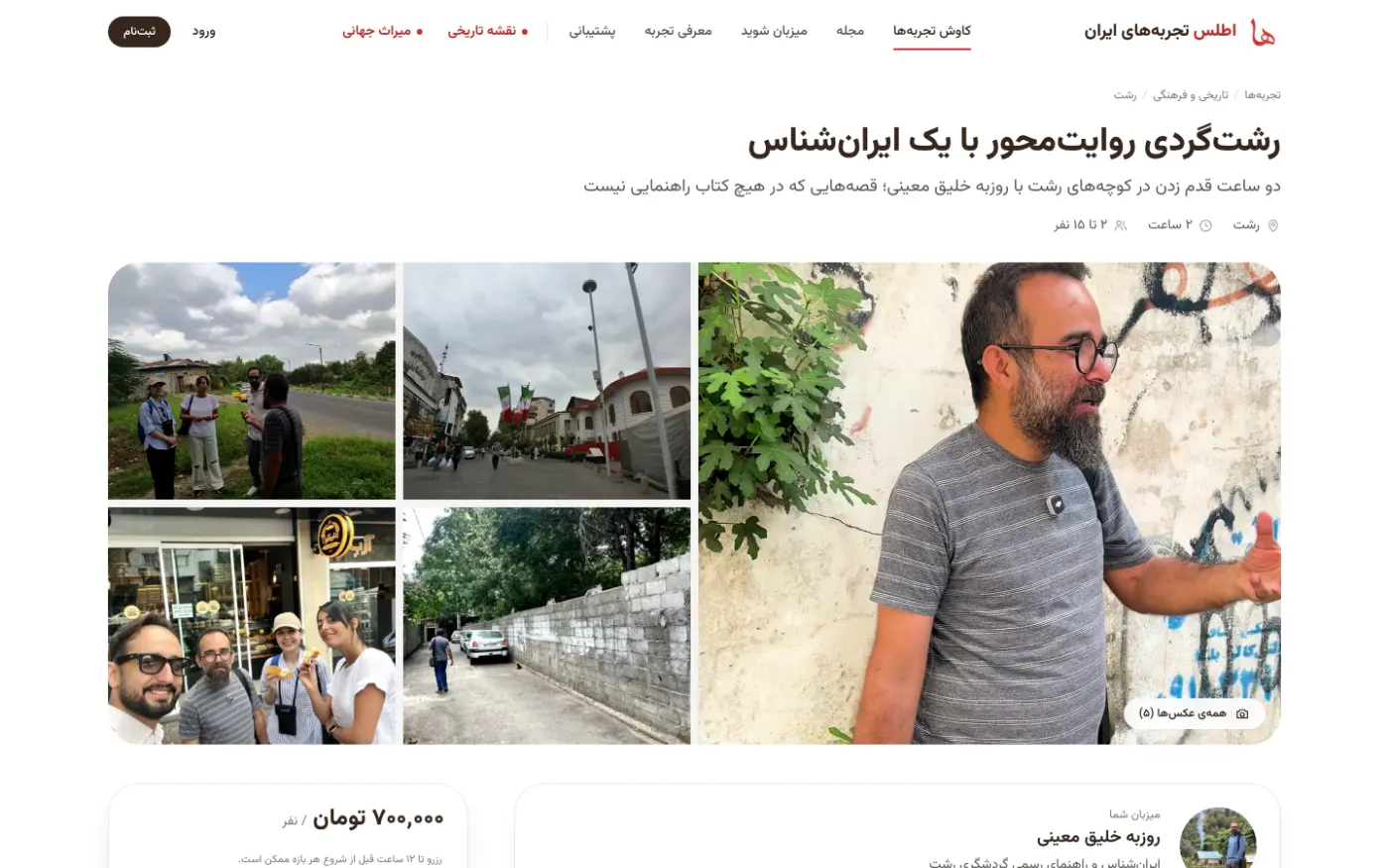
At the top of the page are the photos and the host card; a blue check means the host’s identity has been verified. Further down you’ll find “About this experience”, “What’s included”, “What to bring” and frequently asked questions. In the “Details” section, check the age group, the host’s language and the booking deadline. Reviews from past guests are at the very bottom of the page.
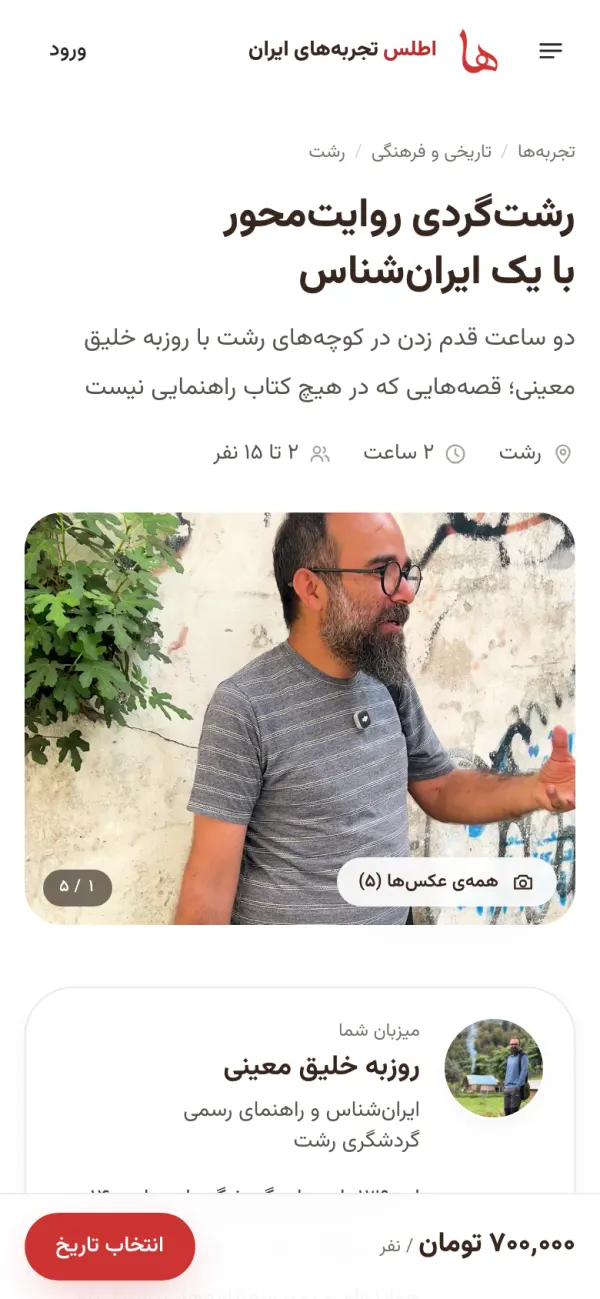
The page for “Story-driven Rasht tour with an Iranologist”. On mobile, the price and the “Choose a date” button are always within reach at the bottom of the screen. Step 4: Choose a booking option
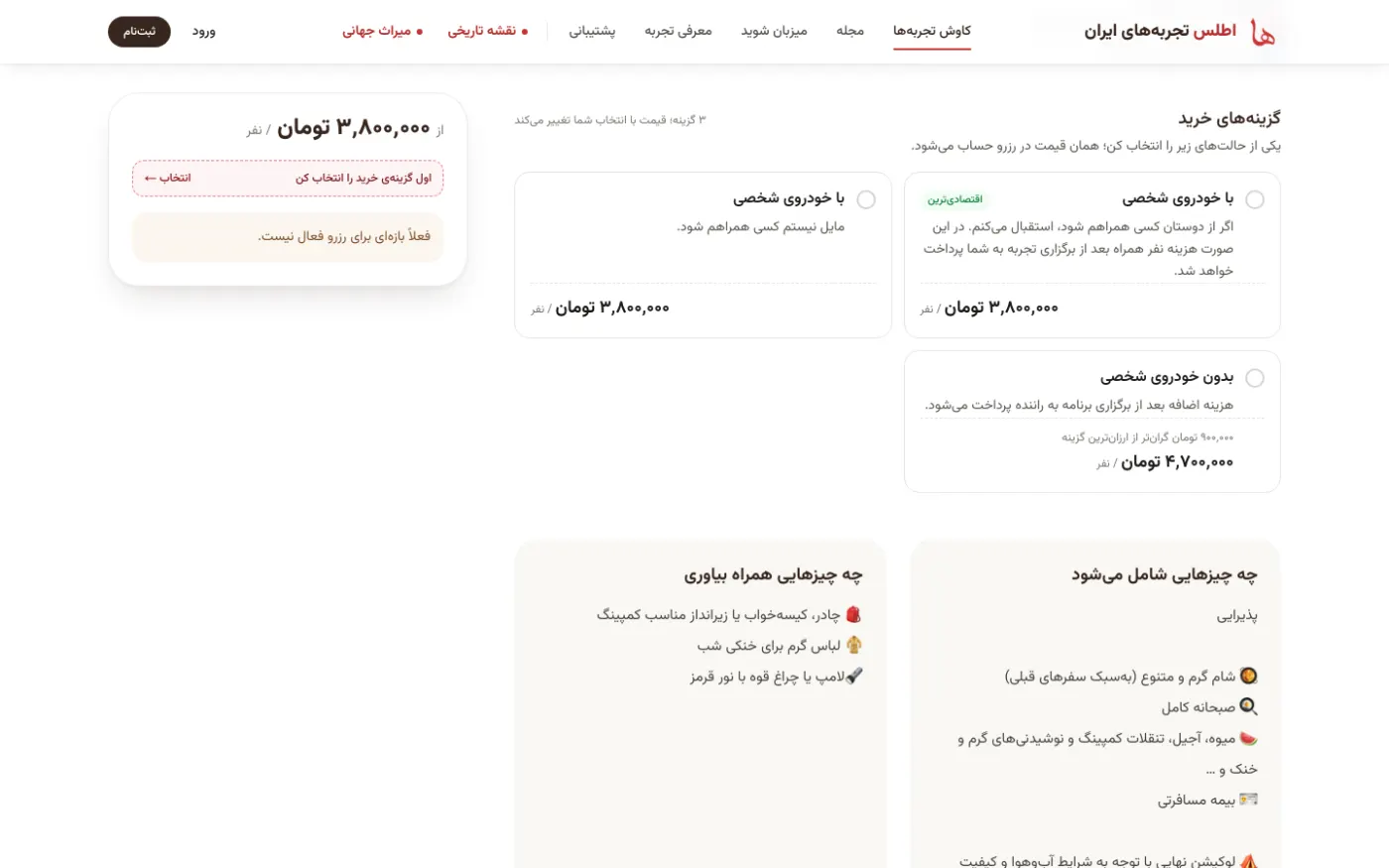
Some experiences come in several versions, for example “with a private car” or “without a private car”, and each version has its own price. You’ll see them side by side in the “Booking options” section, and the final price is calculated from your choice. If an option has a “fixed fee”, that amount is added only once to the whole booking, not per person.
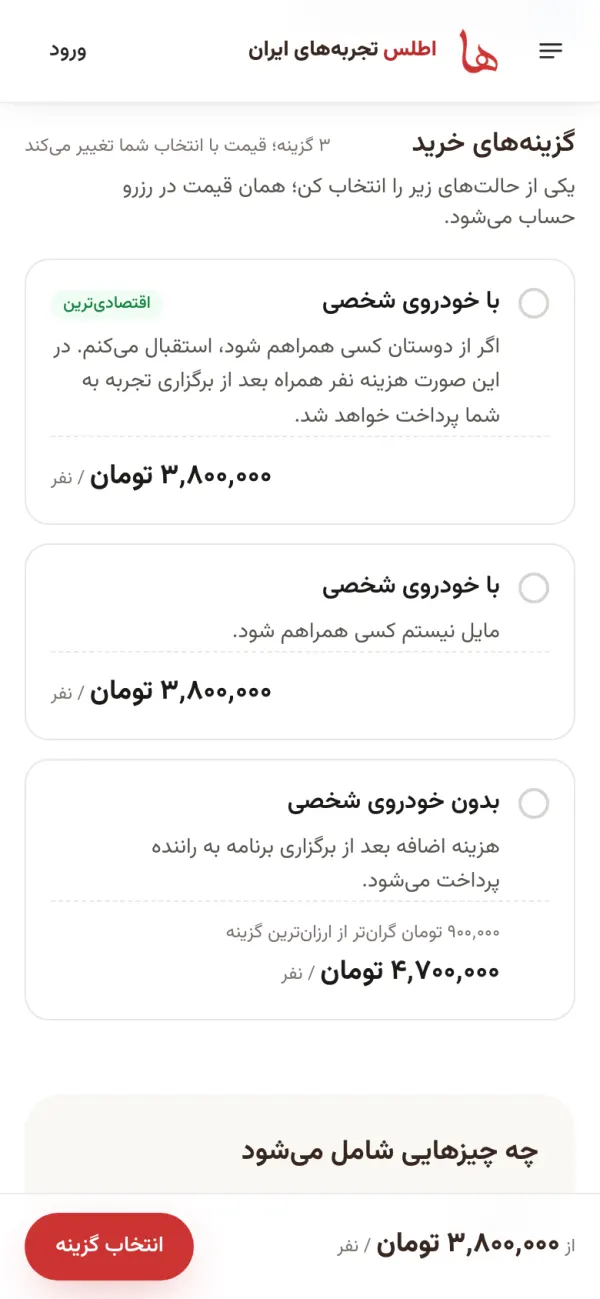
The three booking options for the meteor shower viewing experience. The “Most affordable” label sits on the cheapest option, and the booking card waits until you pick one. Step 5: Day, time and number of people
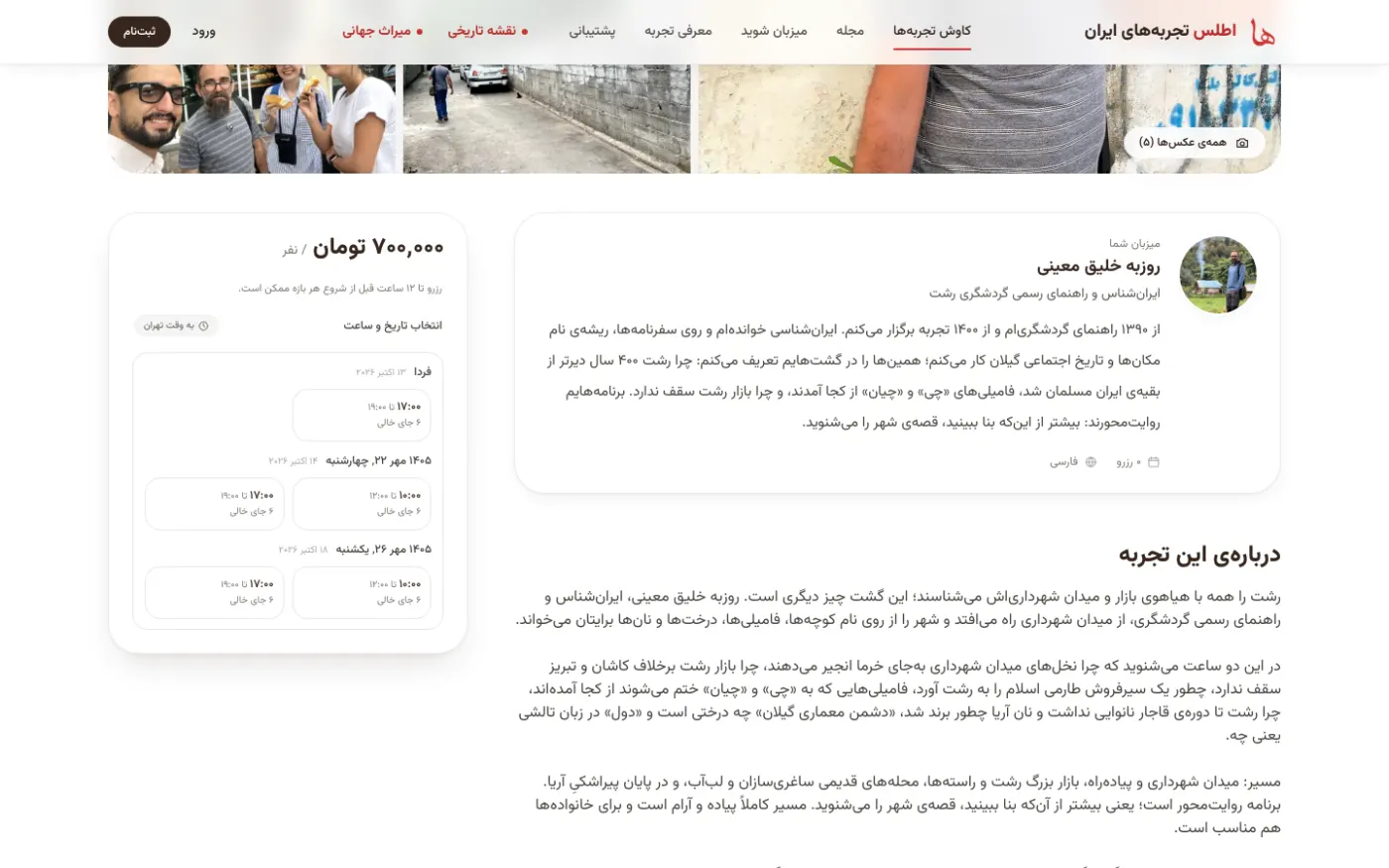
In the booking card, upcoming time slots are listed by day; all times are in Tehran time, and the number of open spots is written under each slot. Choose a slot, then use the plus and minus buttons to set the number of guests between the minimum and maximum capacity and see the total. For experiences with dynamic group pricing, the price per person drops as the slot fills up, and slots that already have people in them show a “Join this group” label.
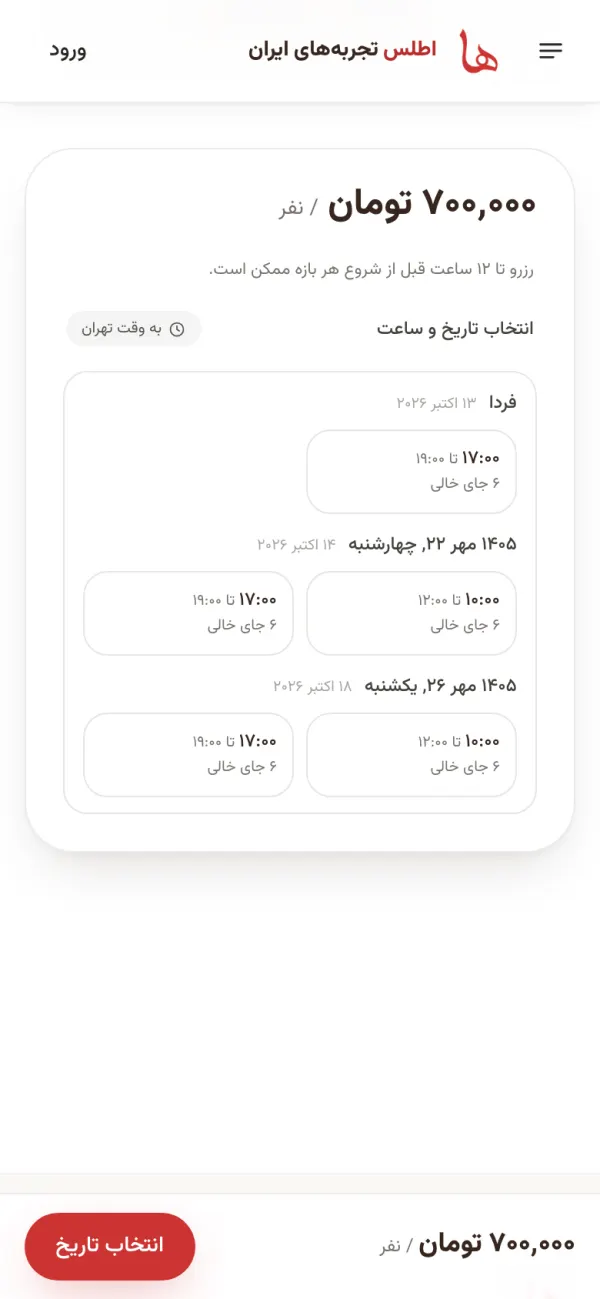
The booking card: each time slot shows its start and end time and how many spots are still open. Step 6: Log in with a one-time code
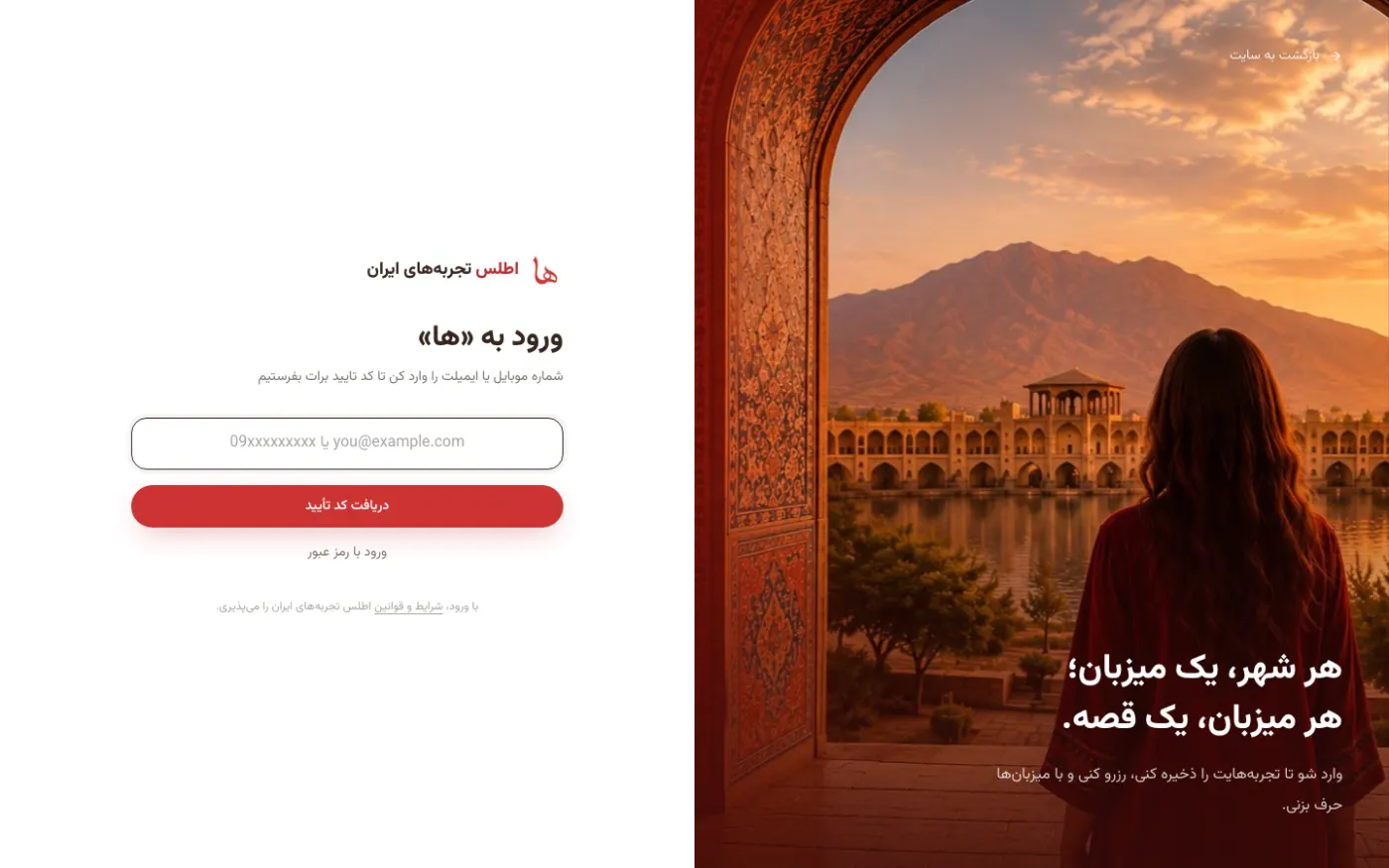
When you tap “Continue to book” and you’re not logged in yet, you’ll go to the login page. Enter your mobile number or email, and we’ll text or email you a 5-digit code; no password needed. If the code doesn’t arrive, request it again after 60 seconds. Please note that the login page is currently in Persian only.
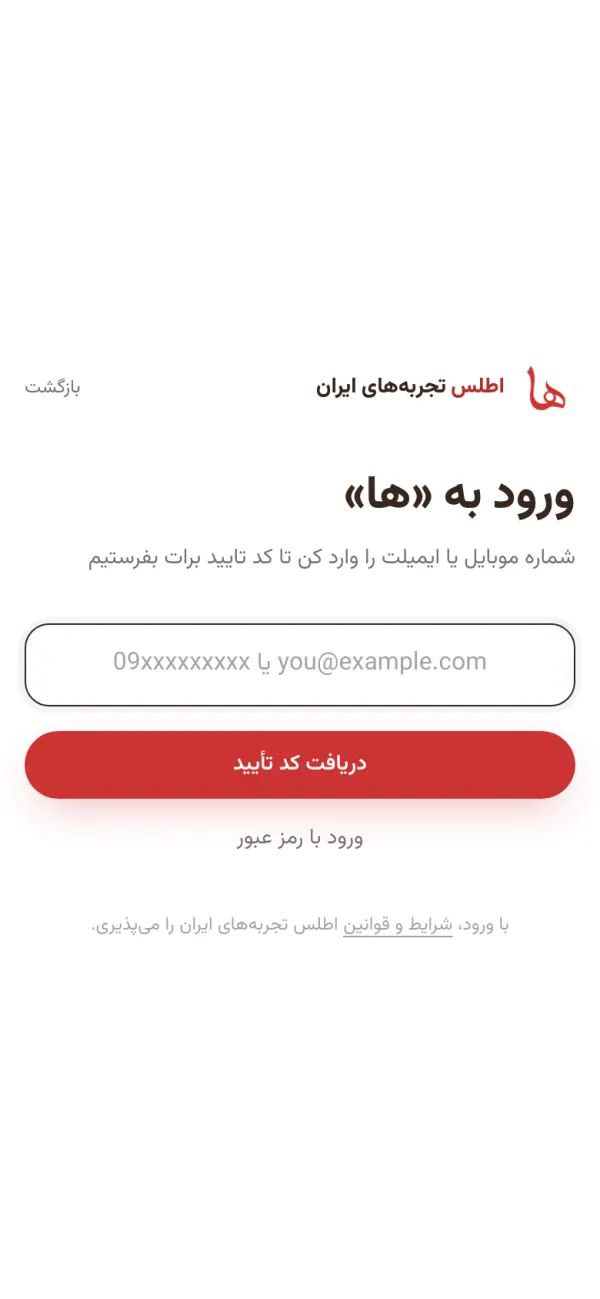
One field for both: mobile number or email. After logging in, you’re taken back to the same experience. Step 7: Contact details and secure payment
Enter the name and mobile number the host will use to coordinate with you on the day; if there’s something you want to tell the host, write it under “Note for the host”. On the “Confirm and pay” page you’ll see a summary of your booking, the cancellation policy and the price breakdown, and the “Pay” button takes you to the bank payment gateway. If you have wallet credit, you can use it right there. Your spot is held for 15 minutes; after that the booking expires and you’ll need to book again. Checkout is currently in Persian only, and paying through the gateway requires an Iranian bank card.
Step 8: After booking: your booking page and chatting with the host
All your bookings are in My bookings. On each booking’s page you’ll see the date and time, the address and meeting point, the host’s number and your check-in code; show this code to the host on the day of the experience. Use the “Open chat” button to talk to the host directly, and find all your conversations in Messages. Like checkout, these pages are currently in Persian.
Step 9: Cancelling a booking and getting a refund
If you can’t make it, tap “Cancel this booking” on your booking page and write down the reason. If at least 12 hours remain before the start, you get the full amount back; with less time left, nothing is refunded. If less than 12 hours remain, contact support instead of cancelling: once, if the host agrees, you can move to another session at no cost; if the host declines, nothing is refunded. Read the full text in the booking rules.
Step 10: After the experience: certificate and review
Once the experience is over, an “Experience certificate” is ready on that booking’s page: an image sized for an Instagram story, with the name of the experience, the city and the date. Add your own photo to it, then download it or share it straight to your story. After that, write a few lines about your experience and give it stars; your review is published once the host has left their review too, or after fourteen days.
Step 11: Give an experience as a giftNew
On any experience page, tap Give as a gift, choose the booking option and the number of people, enter the recipient’s name and mobile number, and pay. The recipient gets a text with a code, and by opening atlaseha.com/gift/ followed by the gift code, they choose the day and time themselves. You just pick the gift; arranging the date is up to them. Gift payment goes through the same checkout, which is currently in Persian and requires an Iranian bank card.
Frequently asked questions from guests
Short and to the point; the full details are on the booking rules page.
Do I pay a separate fee for booking?
No. The price you see on the experience page is exactly what you pay. Atlaseha’s fee is paid only by the host, out of their own share.
Where is my money until the day of the experience?
Atlaseha holds it in trust. The host’s share is released to them 24 hours after the experience starts, so if the experience doesn’t happen or the host cancels, your money hasn’t gone anywhere.
If I cancel, where does the money go?
Back to the same bank card you paid with. If you paid part of the amount with wallet credit, that part goes back to your credit. Bookings made through a gift are also refunded as credit.
What is wallet credit and where does it come from?
It’s an amount that counts as cash on your next booking. It can come to you in several ways: compensation when a host cancels, the price difference from dynamic group pricing, a gift that went unused and came back, and the reward for writing a review. You can use it on the payment page.
When do I see the exact address?
After you pay, on your booking page. For their own safety, some hosts show only the city until you book.
Why can’t I send my number in the chat?
So that all arrangements and payments stay inside Atlaseha and we can help you if something goes wrong. The host’s number is on your booking page once you’ve booked.
I’ve received a gift. How do I use it?
Open the link from your text message (atlaseha.com/gift/ followed by the gift code), log in and choose one of the open time slots. A gift is valid for one year.
My time to pay ran out. What should I do?
Your spot is held for only 15 minutes. If that time has passed, go back to the experience page and book again; no money has been taken from your account.
Didn’t find your answer here?
At Atlaseha support, a real person answers you. You can open a ticket, give us a call or send us a message on WhatsApp.
Atlaseha smart assistant
Tap the chat button in the bottom corner of this page and type your question. The smart assistant answers questions about booking, cancellations, payment and hosting, even at two in the morning.
Do you have an experience of your own you’d like to share with others?
Guide for hosts